|
Zakładka z wyszukiwarką danych komponentów |
|
|
Zakładka z wyszukiwarką danych komponentów |
|
PIC24FJ128GA006 Arkusz danych(PDF) 113 Page - Microchip Technology |
|
|
|||||||||||||||||||||||||||||
PIC24FJ128GA006 Arkusz danych(HTML) 113 Page - Microchip Technology |
|
|
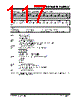
113 / 258 page  2005-2012 Microchip Technology Inc. DS39747F-page 113 PIC24FJ128GA010 FAMILY 12.0 TIMER2/3 AND TIMER4/5 The Timer2/3 and Timer4/5 modules are 32-bit timers, which can also be configured as four independent, 16-bit timers with selectable operating modes. As a 32-bit timer, Timer2/3 and Timer4/5 operate in three modes: • Two Independent 16-Bit Timers (Timer2 and Timer3) with All 16-Bit Operating modes • Single 32-Bit Timer • Single 32-Bit Synchronous Counter They also support these features: • Timer Gate Operation • Selectable Prescaler Settings • Timer Operation During Idle and Sleep modes • Interrupt on a 32-Bit Period Register Match • A/D Event Trigger (Timer2/3 only) Individually, all four of the 16-bit timers can function as synchronous timers or counters. They also offer the features listed above, except for the A/D Event Trigger; this is implemented only with Timer3. The operating modes and enabled features are determined by setting the appropriate bit(s) in the T2CON, T3CON, T4CON and T5CON registers. T2CON and T4CON are shown in generic form in Register 12-1; T3CON and T5CON are shown in Register 12-2. For 32-bit timer/counter operation, Timer2 and Timer4 are the least significant word; Timer3 and Timer4 are the most significant word of the 32-bit timers. To configure Timer2/3 or Timer4/5 for 32-bit operation: 1. Set the T32 bit (T2CON<3> or T4CON<3> = 1). 2. Select the prescaler ratio for Timer2 or Timer4 using the TCKPS<1:0> bits. 3. Set the Clock and Gating modes using the TCS and TGATE bits. 4. Load the timer period value. PR3 (or PR5) will contain the most significant word of the value, while PR2 (or PR4) contains the least significant word. 5. If interrupts are required, set the interrupt enable bit, T3IE or T5IE. Use the interrupt priority bits, T3IP<2:0> or T5IP<2:0>, to set the interrupt pri- ority. Note that while Timer2 or Timer4 controls the timer, the interrupt appears as a Timer3 or Timer5 interrupt. 6. Set the TON bit (= 1). The timer value, at any point, is stored in the register pair: TMR3:TMR2 (or TMR5:TMR4). TMR3 (TMR5) always contains the most significant word of the count, while TMR2 (TMR4) contains the least significant word. To configure any of the timers for individual 16-bit operation: 1. Clear the T32 bit corresponding to that timer (T2CON<3> for Timer2 and Timer3 or T4CON<3> for Timer4 and Timer5). 2. Select the timer prescaler ratio using the TCKPS<1:0> bits. 3. Set the Clock and Gating modes using the TCS and TGATE bits. 4. Load the timer period value into the PRx register. 5. If interrupts are required, set the interrupt enable bit, TxIE; use the priority bits, TxIP<2:0>, to set the interrupt priority. 6. Set the TON bit (TxCON<15> = 1). Note: This data sheet summarizes the features of this group of PIC24F devices. It is not intended to be a comprehensive reference source. Refer to Section 14. “Timers” (DS39704) in the “PIC24F Family Reference Manual” for more information. Note: For 32-bit operation, T3CON and T5CON control bits are ignored. Only T2CON and T4CON control bits are used for setup and control. Timer2 and Timer4 clock and gate inputs are utilized for the 32-bit timer modules, but an interrupt is generated with the Timer3 or Timer5 interrupt flags. |
|
Link URL |
| Czy Alldatasheet okazała się pomocna? [ DONATE ] |
O Alldatasheet | Reklama | Kontakt | Polityka prywatności | Link do karty katalogowej | Linki | Lista producentów All Rights Reserved©Alldatasheet.com |
| Russian : Alldatasheetru.com | Korean : Alldatasheet.co.kr | Spanish : Alldatasheet.es | French : Alldatasheet.fr | Italian : Alldatasheetit.com Portuguese : Alldatasheetpt.com | Polish : Alldatasheet.pl | Vietnamese : Alldatasheet.vn Indian : Alldatasheet.in | Mexican : Alldatasheet.com.mx | British : Alldatasheet.co.uk | New Zealand : Alldatasheet.co.nz |
|
Family Site : ic2ic.com |
icmetro.com |
 Polish ▼
 English
 Chinese
 German
 Japanese
 Russian
 Korean
 Spanish
 French
 Italian
 Portuguese
 Polish
 Vietnamese
 Indian
 Mexican
 British
 New Zealand