|
Zakładka z wyszukiwarką danych komponentów |
|
|
Zakładka z wyszukiwarką danych komponentów |
|
N5393D Arkusz danych(PDF) 5 Page - Keysight Technologies |
|
|
|||||||||||||||||||||||||||||
N5393D Arkusz danych(HTML) 5 Page - Keysight Technologies |
|
|
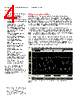
5 / 25 page  05 | Keysight | N5393D PCI Express® 3.0 (Gen3) Software for Infiniium Oscilloscopes - Data Sheet Benefits PCI Express electrical test software benefits The PCI Express electrical test software saves you time by setting the stage for automatic execution of PCI Express electrical tests, including JBERT jitter stress calibration (optional). Part of the difficulty of performing electrical tests for PCI Express is hooking up the oscilloscope, loading the proper setup files, and then analyzing the measured results by comparing them to limits published in the specification. The PCI Express electrical test software does much of this work for you. In addition, if you discover a problem with your device, robust debug tools are available to aid in root-cause analysis. These debug tools are provided by the Keysight E2688A high-speed serial data analysis software, which you must install on your oscilloscope to use the PCI Express electrical test software. The software also now has an integrated interface for controlling the InfiniiSim Waveform Transformation Toolset for de-embedding of test fixtures. Introduced with PCIe 2.0, de- embedding of test fixtures utilizes S-parameters as input to create a de-embed model that helps to restore high frequency signal content that is often lost or significantly attenuated by test fixtures and cables. This can help to recover significant jitter margin normally lost to fixtures used in a test setup. The software can be purchased with an optional test suite for performing the calibration of your Keysight JBERT (B) bit error ratio tester for stressed eye receiver testing for PCIe 3.0 silicon. This helps ensure consistent run-to-run setup of the instrumentation, saving you time and providing consistent and accurate receive test results. The PCI Express electrical test software offers many more electrical tests than the SigTest application. Unlike the SigTest application, the PCI Express electrical test software automatically configures the oscilloscope for each test, and it provides an informative results report that includes margin analysis indicating how close your product is to passing or failing a particular test assertion. Table 1 shows a side-by-side comparison of the capabilities of the SigTest application and the Keysight PCI Express electrical test software. A list of the measurements made by the PCI Express electrical test software can be found in Table 3, (Table 3 contains comparison of SigTest vs. Keysight). Table 1. Comparison of capabilities of the Keysight PCI Express electrical test software and the PCI-SIG SigTest application Capability Keysight PCI Express software PCI-SIG SigTest Support for PCIe 3.0 BASE Spec N/A Integrated de-embedding support Yes (InfiniiSim waveform transformation toolset required) No Number of measurement assertions 16+ 4 Support for PCIe 1.0a, 1.1, 2.0 Yes Yes Reference clock tests 10 (1.1) 0 1 Automated oscilloscope setup for each measurement Yes, guided No, single setup Measurement results Pass/fail with margin analysis Pass/fail with measured value CEM based measurement methodology Yes Yes Clock recovery method PCI-SIG SigTest or 1st/2nd order PLL PCI-SIG SigTest Brick wall filter (2.0 testing) Yes Yes Custom HTML report generation Yes No Support for low power device Yes No Selectable number of tests performed Yes No Multi-trial run support Yes No Debug mode for “what if” analysis Yes No Compliance test boards supported CBB1, CBB2, CLB1, CLB2 CBB1, CBB2, CLB1, CLB2 1. PCI-Sig offers a separate utility (Clock_Jitter) for analyzing reference clock phase jitter. |
|
|
Link URL |
| Czy Alldatasheet okazała się pomocna? [ DONATE ] |
O Alldatasheet | Reklama | Kontakt | Polityka prywatności | Link do karty katalogowej | Linki | Lista producentów All Rights Reserved©Alldatasheet.com |
| Russian : Alldatasheetru.com | Korean : Alldatasheet.co.kr | Spanish : Alldatasheet.es | French : Alldatasheet.fr | Italian : Alldatasheetit.com Portuguese : Alldatasheetpt.com | Polish : Alldatasheet.pl | Vietnamese : Alldatasheet.vn Indian : Alldatasheet.in | Mexican : Alldatasheet.com.mx | British : Alldatasheet.co.uk | New Zealand : Alldatasheet.co.nz |
|
Family Site : ic2ic.com |
icmetro.com |
 Polish ▼
 English
 Chinese
 German
 Japanese
 Russian
 Korean
 Spanish
 French
 Italian
 Portuguese
 Polish
 Vietnamese
 Indian
 Mexican
 British
 New Zealand